
Detect the scripts
Automatic mode looks for English, Chinese, numbers, and punctuation on the same page.
Bilingual OCR detects English, Chinese, or both in the same document and transcribes each script without translating it. Review names, dates, punctuation, traditional and simplified forms, and the reading order where horizontal and vertical text meet.
Automatic language handling transcribes without translating. Compare proper names, traditional and simplified forms, dates, punctuation, and the order of mixed-script regions.
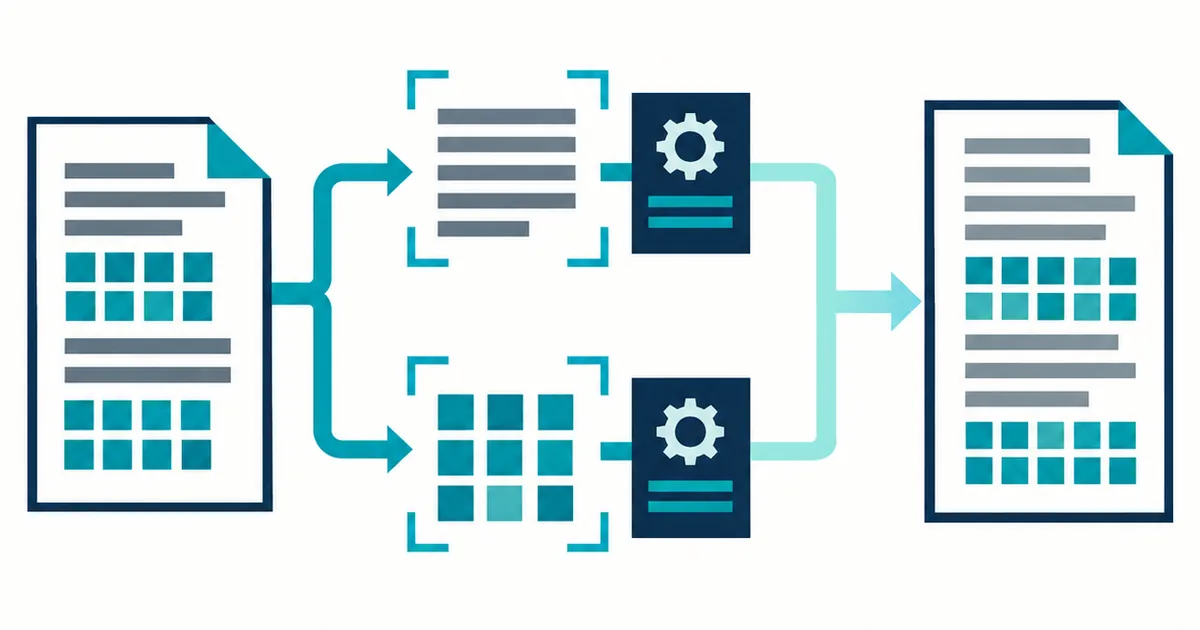
A bilingual page is not two unrelated OCR jobs. Headings, labels, names, and translations may alternate across scripts, so the result must keep visible characters and their document order together.
Use automatic language handling when one page switches between English and Chinese or contains both scripts in the same layout. The tool transcribes what is visible. It does not replace the source with a translation or romanized version.
Automatic mode looks for English, Chinese, numbers, and punctuation on the same page.
Names, labels, and technical terms stay in their original script rather than being translated.
Mixed blocks are returned in a document sequence that still needs comparison with the page.
Chinese recognition depends on internal stroke separation as well as the outer character shape. English text on the same page may remain readable after a resize that damages smaller Chinese characters.
A mixed page can switch scripts inside a heading, address, or product name. Choosing English only can discard Chinese text before the result is reviewed.
Dense Chinese characters lose internal stroke distinctions quickly when an image is resized. Use the largest clear source and avoid messaging-app copies.
Compare people, companies, places, product codes, and technical terms exactly as written. A plausible translation is not a faithful transcription.
Bilingual forms may place one language beside or below the other. Read the source and result together to catch duplicated, skipped, or interleaved blocks.
The result page reports approximate Latin word and Chinese character counts. Use them to notice a missing script block, then compare the exact source where a mistake would matter.
To decide how much review the result needs, read OCR Confidence Scores Explained and What They Miss.
For language detection, uncertainty, and human review, start with the bilingual recognition and confidence guides.
Notices, forms, labels, menus, reports, and scans containing English, Chinese, or both.
Translation, language learning feedback, romanization, or guaranteed recognition of every other language.
Names, traditional and simplified forms, dates, punctuation, and mixed-script reading order.
TXT is the most portable bilingual copy. Markdown retains lightweight structure, while JSON and CSV keep diagnostic data for checking names, dates, labels, and mixed-script regions.
No. It transcribes the visible scripts. Translation is a separate task and could change names, technical terms, or the intended wording. See how automatic language handling works.
It returns the characters it recognizes from the source, but visually similar or low-resolution forms still require direct comparison. Use confidence as a review signal.