
Confirm the frame
Count the source headers and compare them with the editable grid before correcting individual values.
Table OCR finds visible rows and columns, returns a Markdown table, and places each detected value in an editable cell. Review merged cells, blank values, decimal marks, and headers before using the table in a document or data workflow.
Read across every row and compare blanks, merged headings, decimal marks, and negative signs with the source. The result page rebuilds Markdown from your corrected cells.
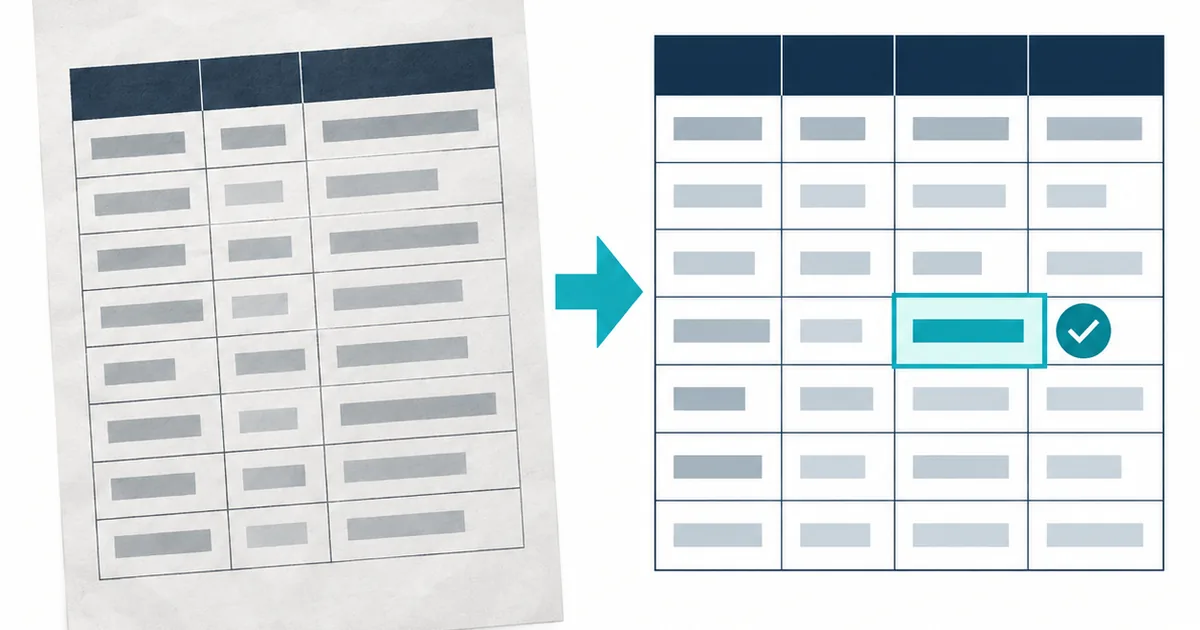
The recognizer must identify the grid, keep values in the correct columns, and preserve blanks. The result page exposes every cell so a single OCR error can be corrected without rebuilding the whole table.
Use this tool when row and column relationships matter more than a plain reading copy. A readable value can still be wrong when it lands under the wrong header, so the result page keeps the detected grid editable.
Count the source headers and compare them with the editable grid before correcting individual values.
Trace each source row from left to right so wrapped text and faint rules do not shift a value sideways.
The page regenerates a clean Markdown table from the cells you approve or correct.
Line detection and text recognition solve different problems. Keep the outer rules, column gaps, and header relationships visible while preserving the small strokes inside numbers.
Include the outer table edges and every header. A tight crop that removes the first or last rule can make the recognizer merge a column with the page margin.
Use even contrast so pale grid lines remain visible without thickening letters. Heavy thresholding can join a vertical rule to the first digit in a cell.
Read the source from left to right and compare the editable grid in the same sequence. This catches values that were recognized correctly but assigned to an adjacent column.
An empty cell may mean not applicable, zero, or missing data. Do not fill a blank automatically, and check whether ditto marks or merged labels explain it.
Table review should follow the cost of an error. A wrong unit, negative sign, date, or total can be more consequential than several misspelled description words.
| Source feature | Likely OCR problem | Cell review |
|---|---|---|
| Merged header | One label is repeated or shifted | Rename separate Markdown headers explicitly |
| Blank cell | A nearby value drifts into the gap | Compare the complete row and preserve the blank |
| Decimal or minus sign | The small mark disappears | Zoom the source and verify character by character |
For receipts, invoices, and field relationships, read A Field-First OCR Workflow for Receipts, Invoices, and Tables.
For a field-first checking method, continue with the structured table and receipt workflow guides.
Printed tables with visible rows, consistent columns, and a manageable number of merged headings.
Inferring missing values, validating totals, or recreating complex spreadsheet formatting and formulas.
Headers, blank cells, decimals, negative signs, wrapped rows, and values close to grid lines.
The result page rebuilds Markdown from the cells you review. TXT provides a simple reading copy, while JSON and CSV preserve page and position diagnostics for a separate audit.
It can preserve many visible groupings, but Markdown has no native row-span or column-span syntax. Split or rename merged headings during review. Use the table OCR review workflow.
Faint rules, wrapped labels, and uneven spacing can weaken the visual boundary between cells. Compare the entire row, not the value alone. Improve the source before another run.