
Label
Keep the complete printed prompt.
Form OCR identifies visible labels, entered values, and selection marks, then returns them as editable key-value data. Blank fields and checkboxes are meaningful, so compare every extracted state with the source before automation.
Confirm every label-value relationship and selection state. A visible signature mark is not identity verification.
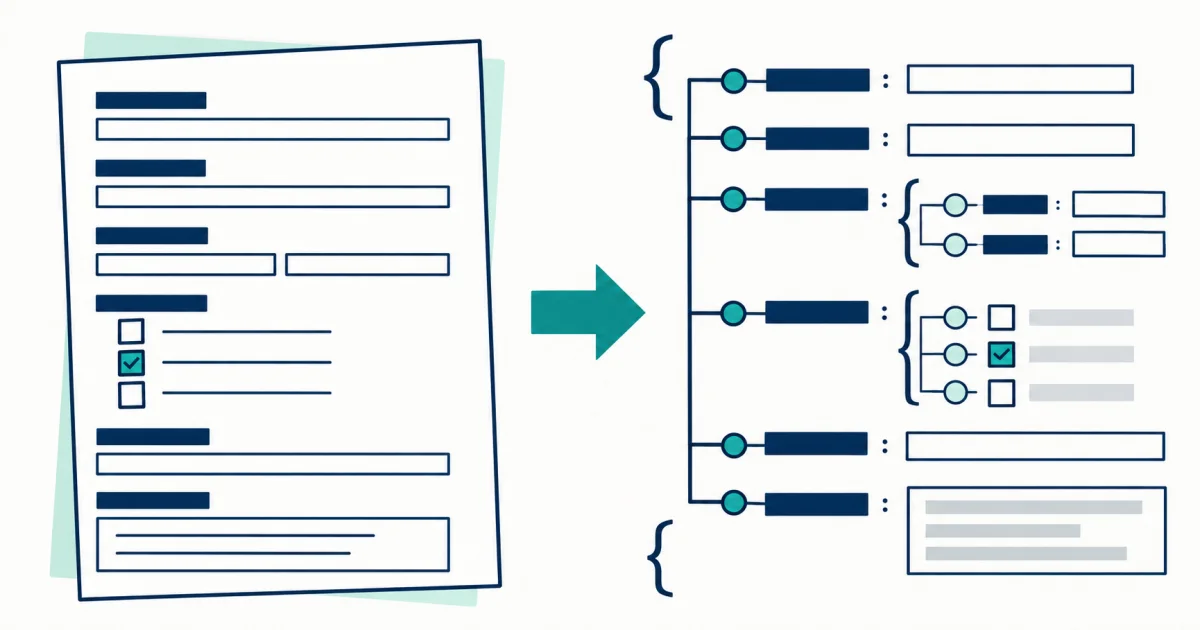
Forms are spatial. The tool proposes key-value relationships and selection states, while the reviewer resolves ambiguous blanks, repeated labels, and marks that touch borders.
Use this tool for forms where labels and answers must stay paired in a structured export. Spatial proximity suggests a relationship, but repeated sections, side-by-side columns, and handwritten entries can make the pairing ambiguous.
Keep the complete printed prompt.
Preserve the entered wording without interpretation.
Separate blank, unchecked, selected, and unreadable.
Add the section name when labels repeat.
An empty box is not automatically false, and a visible mark is not automatically a valid choice. The result page keeps extracted states editable before JSON export.
Crop around complete field groups instead of isolating values from their printed labels.
Aggressive cleanup can erase faint borders or turn dust into a selected mark.
Add section context when the same label appears for several people or items.
Remove unrelated sensitive fields before uploading when the task does not require them.
A value beside two similar labels may belong to the section above or below, so confirm its surrounding heading before export.
Apply the structured review method in A Field-First OCR Workflow for Receipts, Invoices, and Tables.
For form structure and sensitive-data handling, continue with the form OCR privacy guides.
Surveys, applications, intake forms, checklists, and repeated label-value layouts.
Authenticating identities, validating consent, or interpreting legal and medical meaning.
Blank fields, checkbox states, repeated labels, signatures, and handwritten entries.
It can propose a visible state, but faint ticks, crosses, and printed boxes need source review. Use uncertainty to prioritize review.
No. A visible mark can be reported as present, but authorship and legal validity are outside OCR. Read the recognition boundaries.