
Document scan
Start with automatic layout and clean-document processing. Inspect columns, page edges, and faint print.
Image OCR converts visible words in JPG, PNG, WebP, BMP, or TIFF files into editable text. Use it for mixed image sources, then verify names, totals, dates, and identifiers against the image.
Mixed images can combine photos, labels, and document regions. Check names, amounts, dates, identifiers, and the order of separate text areas.
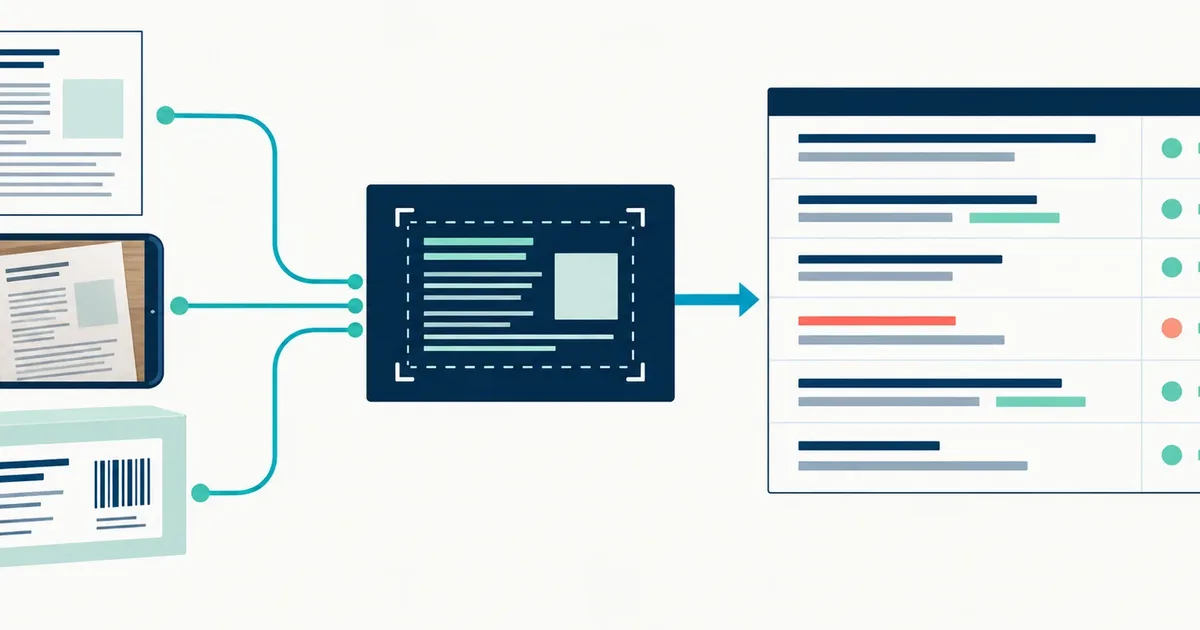
A mixed-image workflow begins by identifying what the pixels represent. A flat scan, camera photo, and isolated label can enter the same OCR engine, but they need different preparation and review.
Use this route for mixed image formats when you need editable text plus word positions and confidence data. The file extension chooses a decoder, but the visible page determines the cleanup, layout, and review work. For words photographed on a sign, product label, menu, notice, or package, use the Image Translator OCR route.
Start with automatic layout and clean-document processing. Inspect columns, page edges, and faint print.
Check focus, perspective, light, and character size before asking software to recognize the page.
Use sparse-text layout when words sit in separate regions instead of one continuous reading block.
The most useful correction is the one that preserves a missing distinction between characters. Change one variable, then compare the same difficult line.
Upload the source image rather than a messaging-app copy. Resizing and repeated compression can merge the small gaps that distinguish similar characters.
Remove desk edges, fingers, and unrelated surroundings while leaving a narrow margin around every line of text.
Automatic mode suits ordinary pages. Use one text block for a continuous paragraph and sparse labels for scattered text.
Compare names, dates, totals, identifiers, and instructions with the image even when the overall confidence is high.
Do not treat a readable paragraph as proof that every field is correct. Mixed-format images often place ordinary prose beside small labels, totals, identifiers, or captions that need different checks.
Use How to Improve OCR Accuracy Before You Upload when the source needs capture or cleanup work before another run.
For source-quality decisions that apply across formats, use the OCR accuracy guide collection.
Mixed image formats, document photos, scans, labels, and graphics containing readable text.
Perfect visual-layout reconstruction, validated invoice fields, or guaranteed handwriting transcription.
Names, totals, dates, identifiers, and text whose meaning changes when one character is wrong.
TXT suits a quick reading copy. Markdown keeps light structure, while JSON and CSV retain diagnostics that help trace uncertain words back to their positions in a mixed-format image.
It can create a first draft from neat block letters, but personal letterforms and connected strokes need close review. See what handwriting OCR can and cannot do.
Use TXT for reading, Markdown for lightweight structure, JSON for page diagnostics, and CSV for local word positions. Compare OCR output formats.