
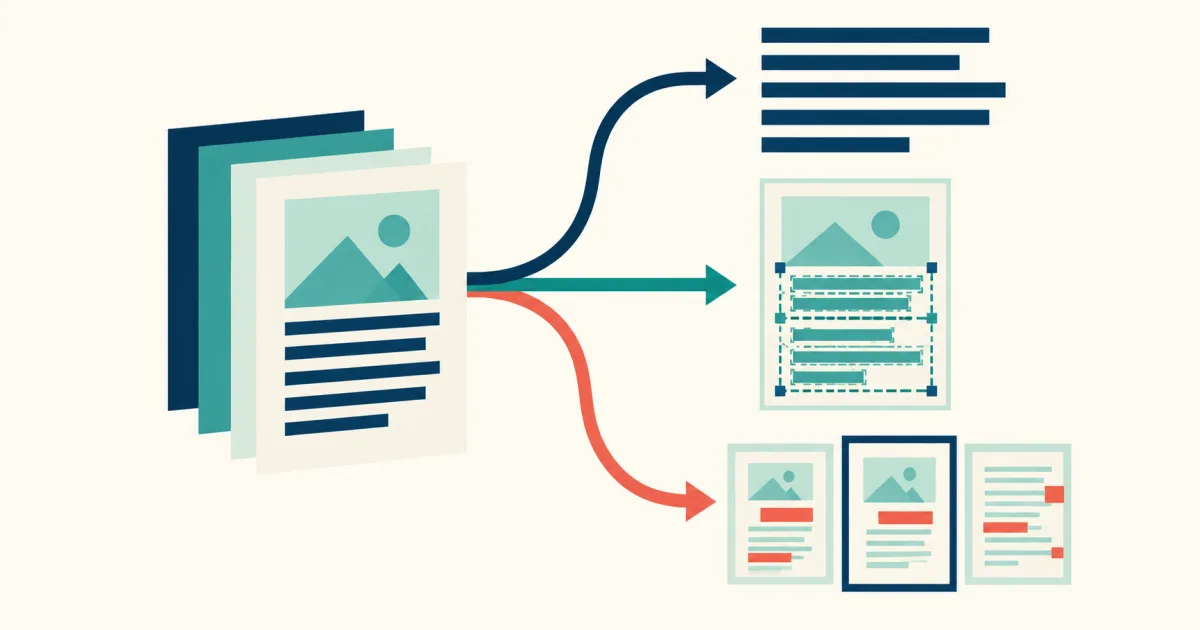
To OCR a PDF well, decide what the next person needs before processing it. A clean text file, a searchable copy of the scan, and a page-by-page review record are different outputs. Choosing the output first prevents a common mistake: extracting readable text, then discovering that page context or visual evidence was also required.
First identify the kind of PDF
Try selecting one sentence in the PDF viewer. If the characters can be selected and copied correctly, the file already contains text. OCR may be unnecessary. If selection captures nothing, produces scrambled characters, or selects one page-sized image, the PDF is probably a scan and needs recognition.
A mixed PDF can contain native text on some pages and scanned images on others. Test pages from the beginning, middle, and end instead of assuming the first page represents the whole file.
Choose one of three useful outputs
| Need | Best starting output | Main review risk |
|---|---|---|
| Copy, edit, or analyze the words | Plain text or Markdown | Lost columns, page breaks, and tables |
| Keep the page appearance and add search | Searchable PDF | Hidden text may not follow visual reading order |
| Process a long record selectively | Page-based OCR result | Weak pages can disappear inside one combined output |
Use scanned PDF to text when the words are the main deliverable. Use the searchable PDF maker when readers must retain the visible page. For a large file, the long PDF OCR workflow provides page navigation and isolated retries.
Prepare the page range
Do not process hundreds of pages merely because they are present. Remove blank covers when permitted, select the relevant range, and check whether rotated foldouts or landscape tables appear. A focused range finishes faster and makes review easier.
Keep an untouched copy of the original. OCR is a derived representation. It should not become the only surviving version of a record whose visual marks, stamps, signatures, or page arrangement matter.
Run a small test before the full file
Choose three representative pages:
- A normal body page with typical type size.
- The most difficult page, such as a table, faded scan, or two-column layout.
- A page containing an important name, amount, date, or identifier.
Review these pages before committing to the whole document. If the difficult page fails, changing the page layout assumption or rescanning may save more time than correcting a long result later.
Review what OCR commonly loses
Reading order
Columns, sidebars, headers, and footnotes can be recognized correctly but assembled in the wrong sequence. Copy a paragraph across each layout boundary and inspect the order.
Numbers and punctuation
Check decimal points, minus signs, slashes, account numbers, page references, and dates against the page image. These characters carry more consequence than their size suggests.
Tables
A flattened text stream may detach a value from its row or heading. Use a structured table workflow when cell relationships matter instead of trying to repair a large table from plain text.
Verify the final output
Search for a phrase near the first and last processed page. Copy a paragraph from a complex layout. Confirm the page count. Compare at least one consequential field on every page category. If a searchable PDF is the deliverable, test both selection and reading order rather than checking only whether search finds a word.
A reliable PDF OCR rule
The visible scan is evidence; OCR is an access layer. Plain text improves reuse. A searchable PDF improves discovery while retaining appearance. Page-level results improve diagnosis. Pick the output that supports the next task, and never let a convenient export erase the distinction between what the page shows and what the engine inferred.
How this article was prepared
This article entered through a domain-matched editorial queue. Before scheduling, automated safeguards check OCR topic fit, structure, duplicate similarity, link labels, and image requirements, then place approved work on the weekly publishing calendar. Automated checks cannot prove that every factual claim is correct. Check consequential facts against primary sources and use the editorial policy to report a correction.